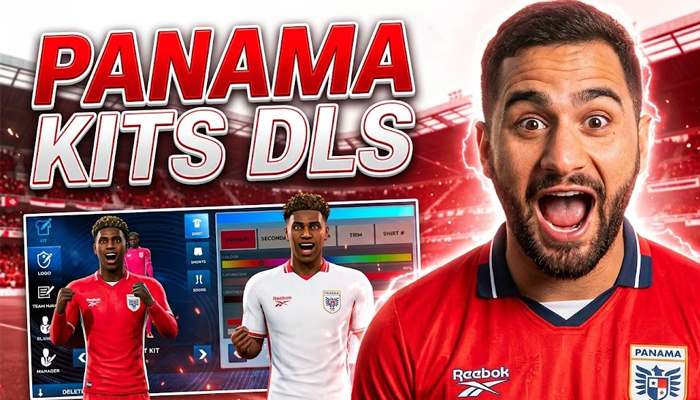
The arrival of the 2026 Season marks a historic era for Panamanian football as Los Canaleros make their highly anticipated second appearance on the world stage. Competing in Group L alongside football powerhouses like England, Croatia, and Ghana, the national team has a stunning visual identity to match the scale of the occasion. For Dream League Soccer (DLS) managers looking to replicate this grand stage energy in their mobile gaming experience, the Panama Kits DLS assets provide an incredible opportunity to refresh your squad’s look.
Official kit manufacturer Reebok has crafted a highly acclaimed three-uniform collection for the 2026 Season, blending clean lines, heritage elements, and sophisticated textures. Below, we break down the definitive design details of Panama’s home, away, and third jerseys, offering a comprehensive reference guide to building or importing the perfect DLS kit configuration.
The 2026 Panama Kit Collection: Design & Breakdown
Whether you are seeking the exact colors for custom kit creation or configuring your graphics configuration files, understanding the official templates designed by Reebok is essential. The 2026 collection marks the triumphant return of the classic “Vector” logo to the biggest tournament in sports, giving the jerseys a distinct retro-modern appeal.
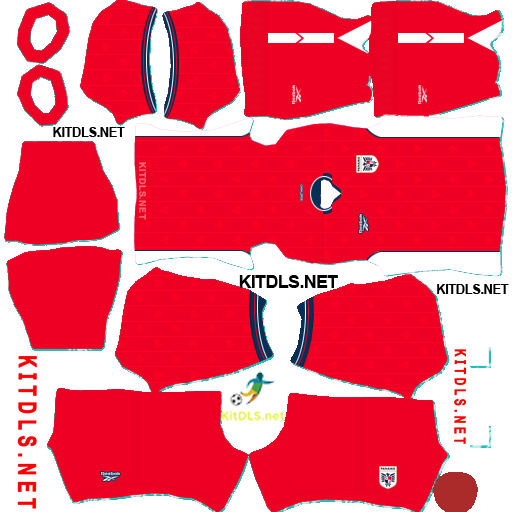
1. Panama 2026 Home Kit
The home kit honors the classic football tradition of Panama. It serves as the primary template for the tournament, embodying the traditional colors of the national flag.
- Primary Base: Vibrant Red.
- Key Accents: Prominent white color blocks running seamlessly down the sides of the shirt, paired with subtle blue accents.
- Collar Style: A classic, sophisticated polo-style collar with matching sleeve trims.
- Fabric Pattern: A meticulously crafted, subtle woven pattern embedded into the fabric fabric. Look closely, and you will see fine lines integrating the majestic Harpy Eagle taken directly from the Panamanian Football Federation crest.
For DLS creators, this kit demands high-saturation red mapping contrasted with crisp white side panels and deep blue trim details to accurately capture its on-pitch appearance.
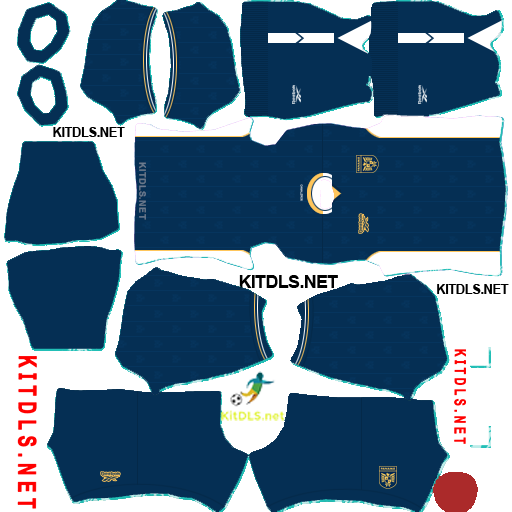
2. Panama 2026 Away Kit
Offering a completely fresh, contemporary alternative to the primary colors, the away kit embraces a minimalist yet elite design language.
- Primary Base: Crisp, clean white.
- Logo Layout: Unlike the traditional layout, both the Reebok vector and the national federation crest are placed centrally on the chest, giving it a modern streetwear-inspired athletic feel.
- Sleeve Detail: A unique feather-like texture is applied directly to the sleeves, paying homage to the national bird.
- Shoulder & Trim Accents: Elegant gold fabric piping shapes the shoulders, while the collar and cuffs feature detailed navy and red piping for sharp contrast.
Replicating this kit in DLS requires attention to detail. Ensure the placement of your custom textures centers the logos perfectly and balances the gold shoulder accents against the white backdrop.
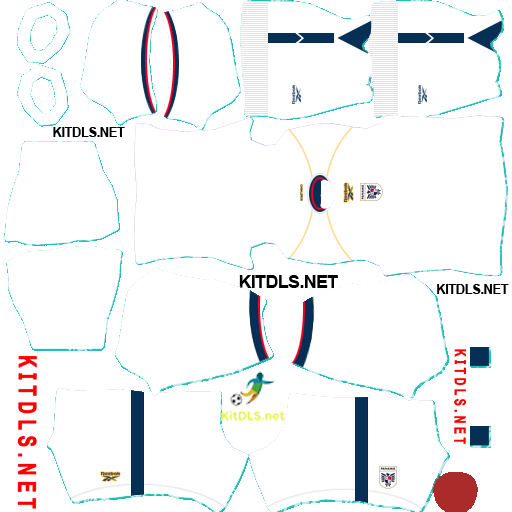
3. Panama 2026 Third Kit
In a brilliant move for fans and gamers alike, a secondary change uniform completes the 2026 lineup. The third kit is structurally identical to the home kit template but introduces a luxury color palette.
- Primary Base: Deep navy blue.
- Side Panels: Contrast white color blocks down the flanks.
- Collar Style: Classic polo collar, mirroring the home kit.
- Accents & Branding: Elevated gold accents define this uniform. Both the Reebok logo and the national team crest are finished in striking monochrome gold.
- Fabric Pattern: The same subtle woven eagle pattern from the home jersey is preserved across the navy base.
The third kit provides a fantastic aesthetic for DLS night matches, where the high-contrast gold branding shines brilliantly against dark navy digital textures.
Instructions for installing the Panama Kits in the game DLS 26
Step 1: Access the Dream League Soccer 2026 game.
Step 2: Select My Club.
Step 3: Select CUSTOMISE.
Step 4: Click Copy on Panama Kits DLS 2026
Step 5: Paste the copied URL into the Enter Kit URL box, then select CONFIRM.
Logo Panama DLS
https://kitdls.net/wp-content/uploads/2026/06/Logo-Panama-DLS.png
Home Kit
https://kitdls.net/wp-content/uploads/2026/06/Panama-Home-Kit-2026-DLS.png
Away Kit
https://kitdls.net/wp-content/uploads/2026/06/Panama-Away-Kit-2026-DLS.png
Third Kit
https://kitdls.net/wp-content/uploads/2026/06/Panama-Third-Kit-2026-DLS.png
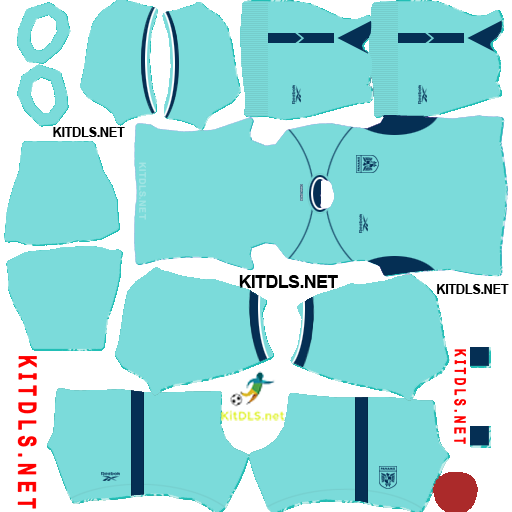
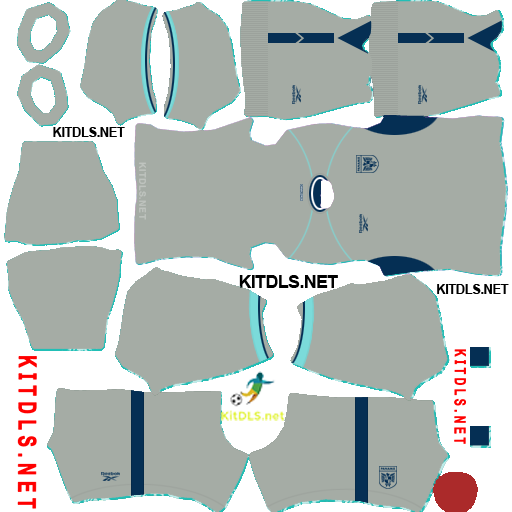
GK Kits
https://kitdls.net/wp-content/uploads/2026/06/Panama-GK1-Kit-2026-DLS.png
https://kitdls.net/wp-content/uploads/2026/06/Panama-GK2-Kit-2026-DLS.png
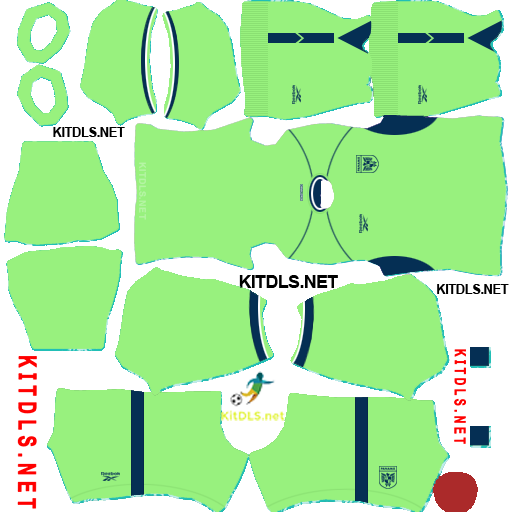
https://kitdls.net/wp-content/uploads/2026/06/Panama-GK3-Kit-2026-DLS.png